Asus ExpertBook P1 Review: Built-For-Business Workhorse That Delivers Without The Drama
A sturdy, no-nonsense laptop built for work, Asus ExpertBook P1 offers great value and solid specs.

Asus ExpertBook P1 Review: It may not come with the hype and hoopla that surround other notebooks, but the Asus ExpertBook P1 is a great value for money for anyone looking for a notebook with serious work on the go ability. The Expertbook P1 will not turn heads but will simply work away assiduously and reliably.
Asus ExpertBook P1 Review: Quick Pointers
What we love:
- Complete keyboard with numpad
- Anti-reflective display
- Tough build
- Lots of ports
- Good performance
- Compact and fast charging charger
What we don’t:
- Plain design
- Keys and touch feel a little cramped
- 720p Web Camera
Classic Built-For-Work Looks
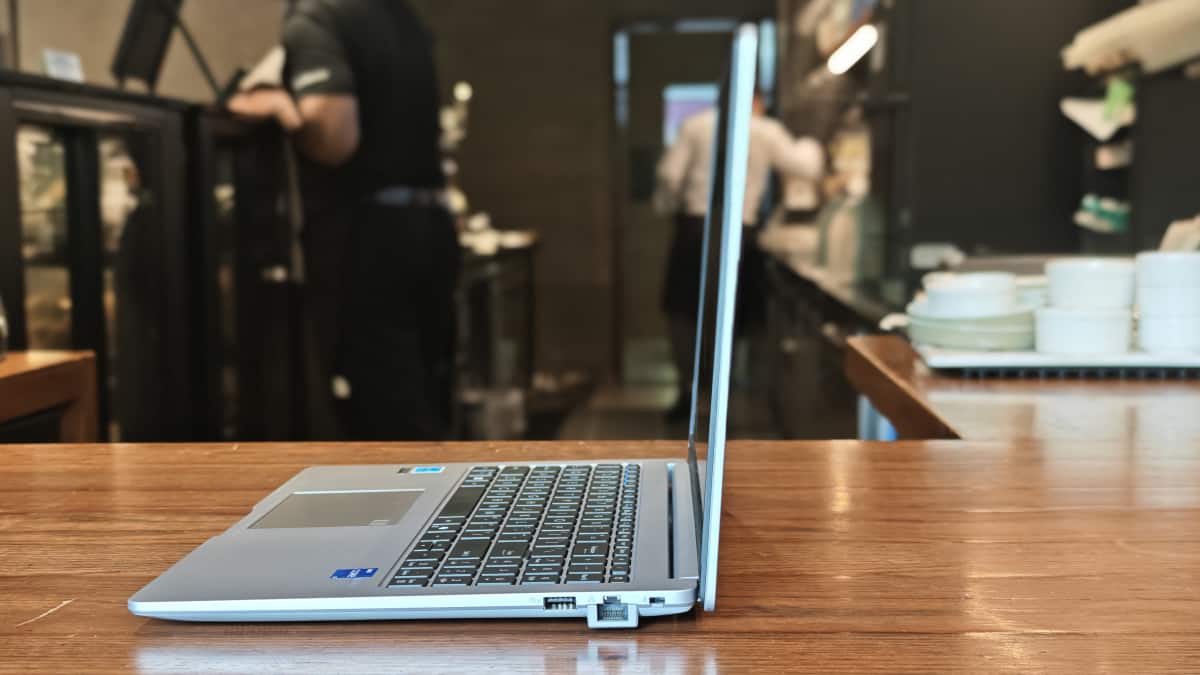
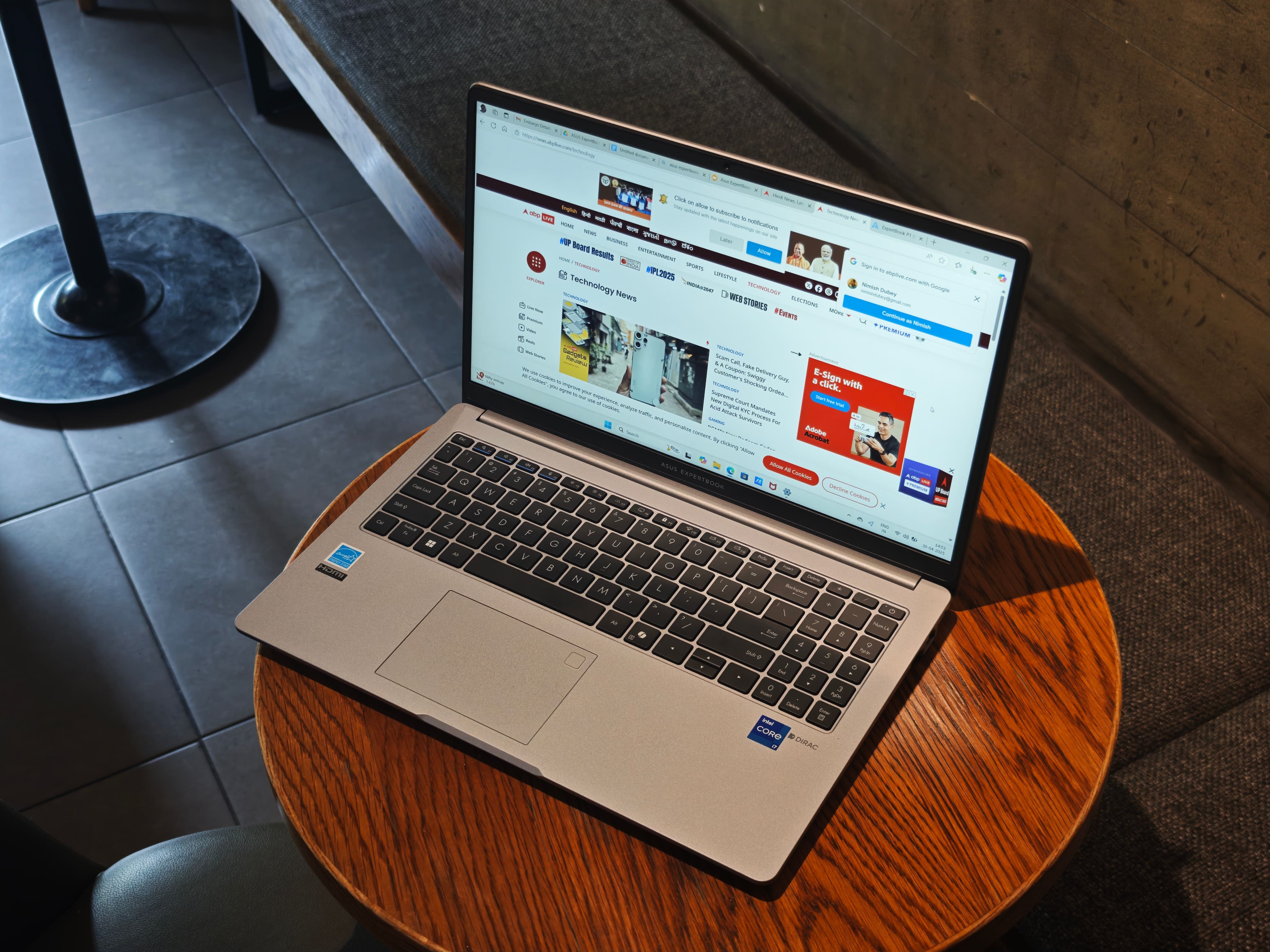
Asus has designed its ExpertBook for work rather than visual appeal, and this shows in the ExpertBook P1. We are not for a moment saying that the notebook looks bad. Far from it. But it tends to blend in rather than stand out. Our Misty Grey unit was quietly elegant, with the Expertbook branding on a thin metallic plate on the top being its only sign of style. The rest is solid plastic with a metallic finish, with grilles on the lower part.
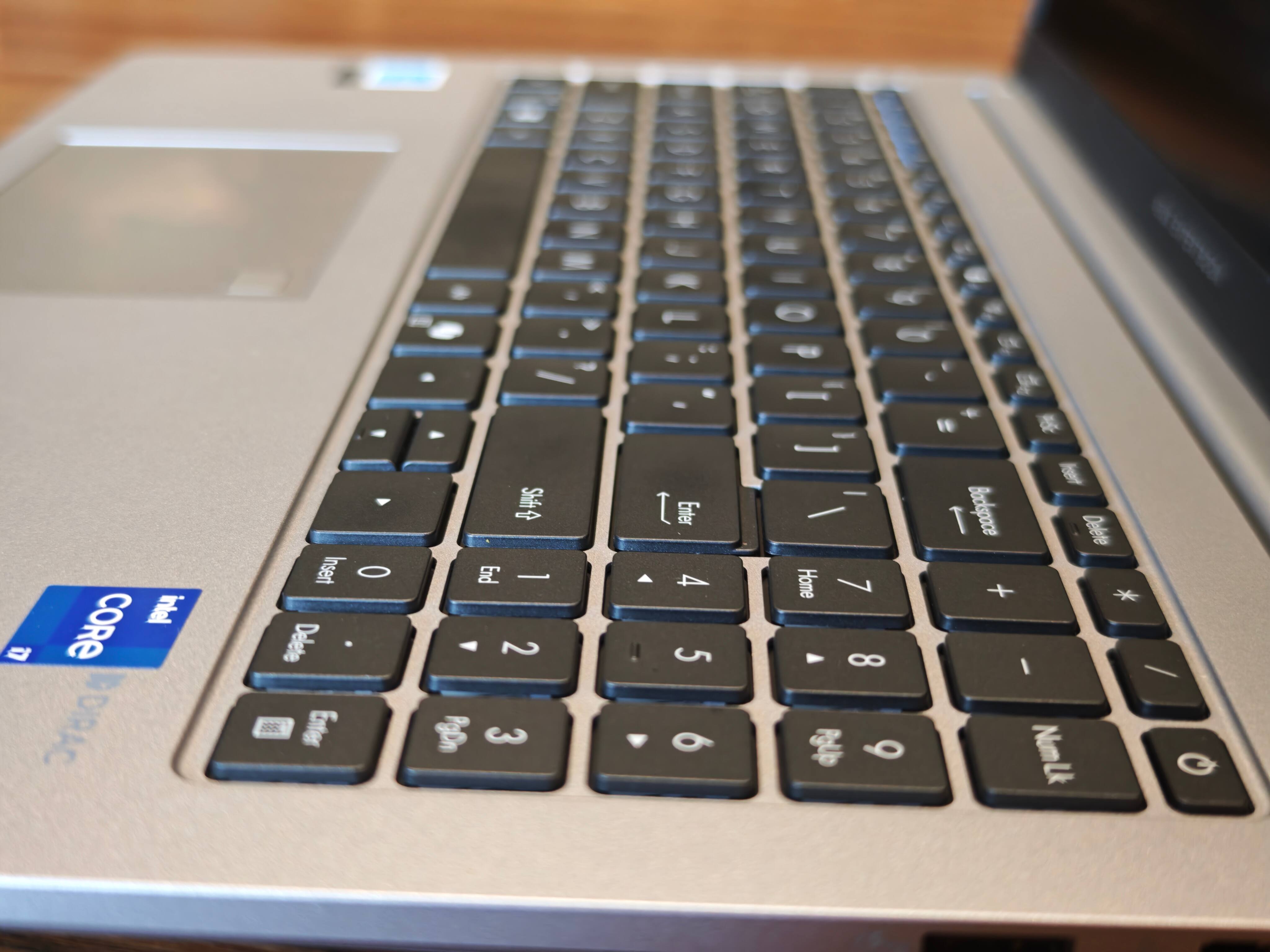
However, if the appearance of the tablet is relatively routine in terms of fashion, it is packed with functionality. We got the 15.6 inch display model of the Expertbook P1 and opening the notebook revealed not only a 15.6 inch anti-glare display that can go back and lie down 180 degrees flat, but also a proper backlit keyboard with a number pad, shortcut keys on top and a trackpad with a fingerprint scanner built into it.
The hinge bearing the display is very sturdy, and do not be fooled by the plastic build - the notebook comes with a US MIL-STD 810H military-grade standard rating, and can survive a drop from a metre and can even bear the weight of someone stepping on it.
You can actually pick up the notebook by the display when it is at 180 degrees without harming it. There is a web camera on top of the display for video calls. The notebook is 35.9 cm long, 23.2 cm wide and a healthy 1.99 cm (19.9 mm) thick - this is no ultrabook, and the sides are packed with ports (more on which later).
At 1.63 kg, the Asus ExpertBook P1 is not too heavy for a notebook with a 15.6-inch display and can easily fit into most backpacks easily. It comes with a 65W adapter, which is surprisingly compact by notebook standards, making this a very travel-friendly notebook.
Specced For Work
Within that relatively routine design of the Expertbook P1 is some seriously good hardware for workaholics.
The 15.6-inch display is an FHD one, and although it has a 60 Hz refresh rate, the fact that it is anti-reflective means that you can use it in bright sunlight or even in well-lit cafes without any problems (although it can sometimes make colours appear a little faded). Our unit was powered by a 13th-generation Intel Core i7-13620H Processor clocked at 2.4 GHz, with 16 GB DDR5 RAM and 512 GB of SSD storage. The chip is not the latest, and graphics are handled by Intel's UHD graphics, but is still reasonably powerful for the enterprise space.
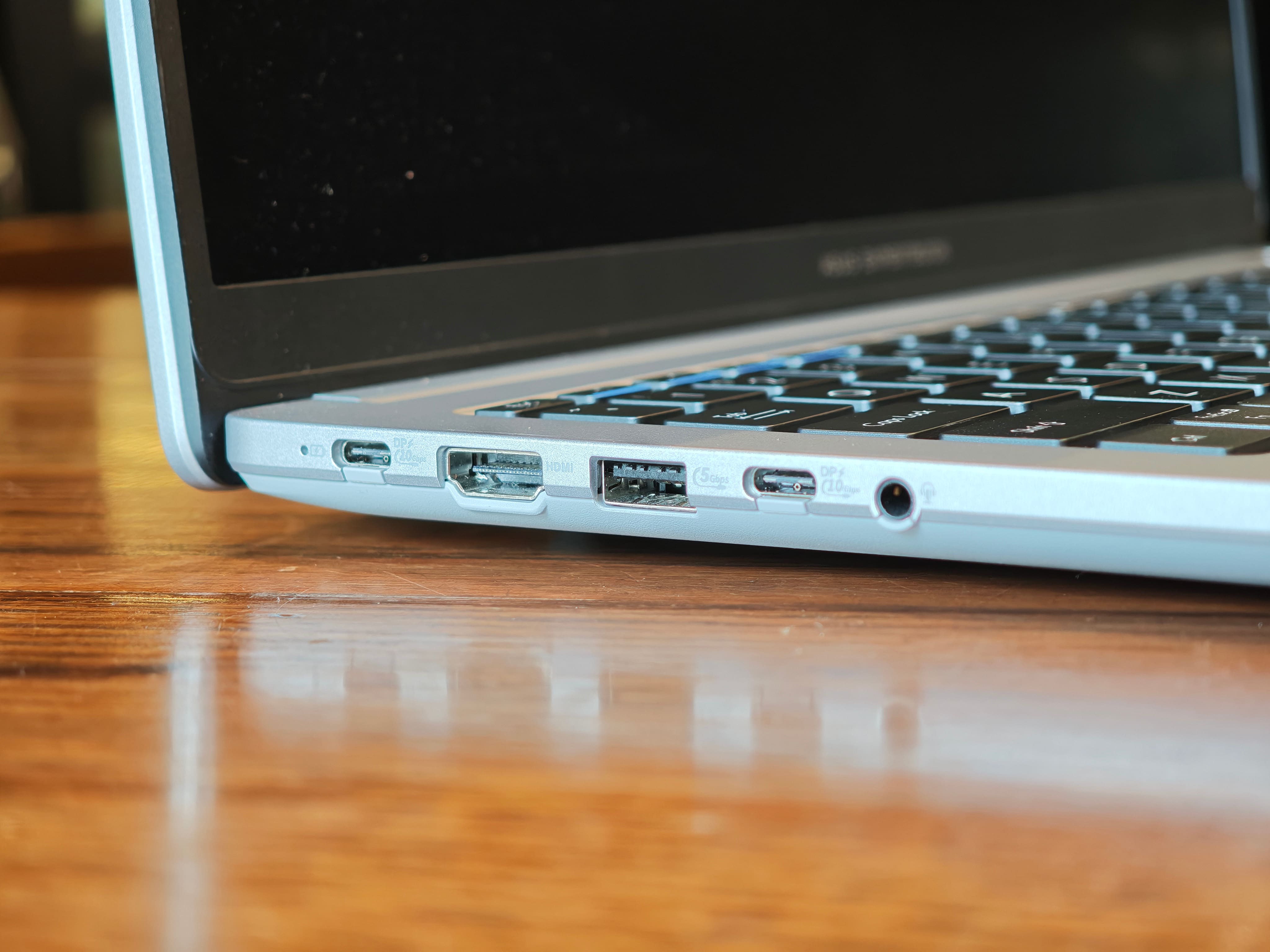
But what will really delight the hearts of professionals is the plethora of ports on the side of the notebook - our unit had two USB Type-C 3.2 Gen 2 ports capable of data transfer, charging and connecting other devices to it; two USB A 3.2 Gen 1 ports; an HDMI port; a 3.5 mm audio jack, and surprise, surprise, an ethernet port. We were a little surprised to see no card reader, but that is just us nitpicking.
The notebook comes with speakers tuned by Dirac, Wi-Fi 6 and Bluetooth 5.4 connectivity, and runs on Windows 11 Home with support for CoPilot, and with several enterprise features, including Asus' ExpertGuardian for safeguarding confidential information.. The only spec surprise here is a 720p Web camera, which is SO 2020. In other regards, this is a very well-specced device for work, especially for its price. The notebook runs on a 50Wh 3-cell battery and comes with a 65W charger.
And It Just Works, Too
The ExpertBook P1 is not designed for the super portable ultrabook crowd or those seeking gaming beasts, but attempts to hit the middle ground between them. The 13th Generation Core i7 chip and onboard graphics combination is not designed to give you an immersive experience of Assassin's Creed: Mirage, but it handles the likes of Photoshop, Lightroom and MS Office without any problems at all. The anti-reflective nature of the display can make colours appear a little dull, but this can be countered to an extent by turning up the brightness.
And while the ExpertBook P1 comes with a 14-inch display avatar, we would suggest going with the one with the 15.6 inch display, simply because you not only end up with more display real estate (great for spreadsheets and presentations) but also get a full keyboard and number pad combination (the 14-inch variant has no number pad). The keys themselves are a little on the smaller size, but one gets the hang of them, and the same can be said of the touchpad and the fingerprint scanner on it. The display of the ExpertBook P1 does not wobble, which allows it to be used on one's lap or on any other relatively unsteady surface if need be.
The display and speaker combination is also good for some general multimedia viewing (again, go for the 15.6-inch variant if you intend to watch films), although the speakers are not the loudest. We would say that the ports on the notebook are a blessing for all those who like to connect to different devices - you can actually connect displays to this notebook if needed. This is a notebook that you can carry anywhere and connect to anything, which is just what executives on the move like.
Incidentally, you can even connect it to a power bank and charge it from it, as the ExpertBook supports inputs in the range of 5V-24V. Of course, the fastest charging happens off the 65W charger in the box, which can get the ExpertBook to about 40-45 per cent in half an hour and fully charge it in slightly more than two hours. Battery life is generally in the vicinity of 8-10 hours, depending on how you use the notebook, which is par for the course at this price point. Incidentally, the 65W charger in the box is not only compact and easier to carry but can also be used to charge other devices, including smartphones, at a brisk speed.
We experienced no major heating issues, although it sometimes did get a little warm during intense multi-tasking sessions (no, we did not really try to play games on it). The 720p Web camera is, however, painfully low resolution and not suitable for conference calls where you need to show documents or whiteboards. We would suggest attaching a better web camera to the notebook if you intend to do a lot of conference calls on it.
Asus ExpertBook P1 Review: Final Verdict
Our variant of the Asus ExpertBook P1 is priced at Rs 68,990, and at that price, we think it is terrific value for money for anyone who wants a well-specced notebook with a relatively large display and a full keyboard for working on the move. It is no gaming monster or benchmark buster, but it can roll through presentations and spreadsheets easily, has decent battery life and can be connected to a number of devices.
It takes on the enterprise offerings from Lenovo (the ThinkBook range), Acer and Asus, but stands out for its sheer sturdiness and attention to details like connectivity and charging speed. Combine that with Asus' good record in service, and this is a notebook for the Pros.


Top Headlines