Apple Recommends Updating To iOS 17.5.1 Immediately To Fix Bug That Made Long-Deleted Images Resurface
Apple has said that the affected users should update to iOS 17.5.1 urgently.
On May 16, news surfaced that Apple’s latest iOS 17.5 update was causing issues for users as long-deleted photos, including sensitive images, were reappearing on their devices. Numerous Apple users reported that deleted photos had reappeared after updating to iOS 17.5 and iPadOS 17.5. In response to this problem, Apple released iOS 17.5.1, an emergency update aimed at fixing the bug responsible for the reappearance of deleted photos. This new update also enhances security safeguards, introduces new device settings, and adds updated features for Apple News, Podcasts, and notifications.
Apple said, "This update provides important bug fixes and addresses a rare issue where photos that experienced database corruption could reappear in the Photos library even if they were deleted."
Fixing The Bug?
Earlier, The New York Post reported that Apple has advised all iPhone users to immediately download the update, rather than waiting for the update to work out its bugs. The mishaps started to flood social media right after this.
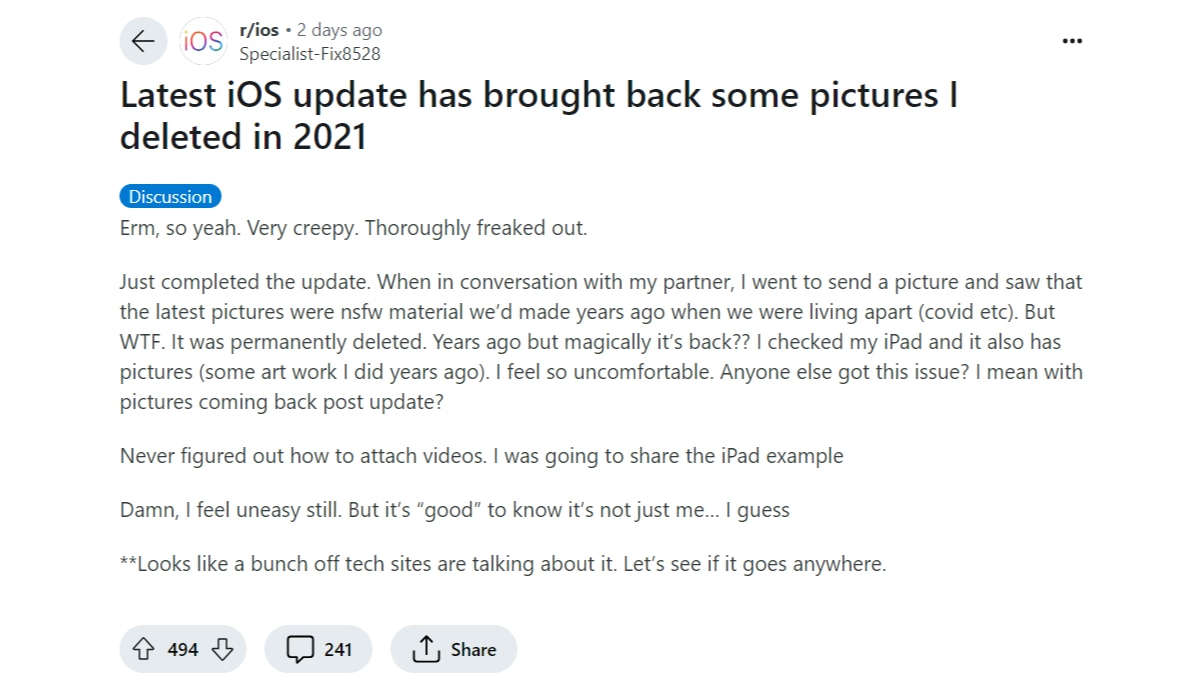
A user mentioned that explicit photos they had deleted "years ago" were back on their device. A Reddit user shared that images from 2016 resurfaced as new photos, despite not recalling deleting them.
Additionally, a later comment claimed that "around 300" old pictures, including some "revealing" ones, appeared on an iPad that had been wiped and sold following Apple's guidelines.
Apple's Solution
Apple has stated that the bug does not affect a lot of users. It added that the ones who have been impacted by it should update to iOS 17.5.1 urgently.
The iPhone maker explained, “Once you’ve done so, you’ll also need to manually delete the photos that have reappeared. Unfortunately, the photos will stay in the recently deleted album in the Photos app for 30 days—unless you choose “Delete from all Devices.” To update to iOS 17.5.1 go to Settings > General > Software Update and download and install it now.”
Top Headlines