




Explorer
Samsung Galaxy S7 edge, S7 get Android Nougat 7.0 update in India
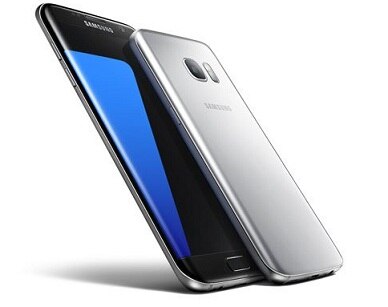
NEW DELHI: Following weeks of testing, Samsung began rolling out the official Android 7.0 Nougat update for the Galaxy S7 and Galaxy S7 edge on January 26 in India. With the release of the update, new and improved features promise to let Galaxy users get more out of their devices. The update also enables faster speeds for downloading apps and system software updates. Learn more about the major UX changes below. Quick Panel and Notifications The Quick Panel features a cleaner aesthetic, as titles have been removed from the icons in the panel’s first depth. Icons in the second depth are organized into groups of nine, making them easier to locate. Users can also utilize the integrated S Finder to locate what they want on their smartphone or the web straight from the Quick Panel. Notifications are now grouped to display information more clearly and also support Direct Reply. Multi Window An improved controller allows the window size to be more easily adjusted in split screen view. Also, with a new pop-up window function that supports up to five separate windows in addition to the two in the split-screen view, users can access up to seven apps at the same time. Performance Mode The newly added Performance Mode lets users optimize their smartphones to better meet their specific needs by activating one of the four available modes. Optimized mode, for example, extends battery life and enhances speed, and is suitable for daily usage, while Game mode provides useful functions such as Game Launcher and Game Tools. Entertainment mode enhances sound and image quality and High Performance mode enables the highest quality display settings possible. Going Appless Nougat will let you reply to messages directly from a notification; for chats, you can also see recent sent and received messages from both sides, not just the most recent incoming note. And when apps such as Gmail group multiple notifications into one, just slide down the notification center from the top to see more on each item rather than an unhelpful “5 new messages.” Personalisation To control what notifications you receive, just tap and hold a notification. You can choose to block notifications from that app or silence them as they come in. Or prioritize them by having notifications still appear when you set “Do Not Disturb” to “Priority only.” (This option still requires going to the settings, but it’s just one tap away from the notification.) You also have more control over the quick-settings menu, which you get by sliding down from the top edge twice (the first slide just yields five frequently used settings icons above your notifications). This menu gives you quick access to settings and tools such as Wi-Fi, flashlight and battery indicator. Hit “Edit” to add or remove some. Not every setting is available as a shortcut, though. (With inputs from AP)
Top Headlines
Gadgets

Buying A Work Laptop In Amazon’s Great Indian Festival 2026? GST Invoice, Windows Pro, RAM Explained
Gadgets

Which iPhone Should You Buy In Amazon Great Indian Festival 2026? iPhone 16, iPhone 17, iPhone 15 Compared
Gadgets

Osmo Pocket 3, Osmo Action 5 Pro Or GoPro HERO13? Travel And Vlogging Camera Prices In Amazon’s Festive Sale
Gadgets

Budget ANC Guide For Amazon Great Indian Festival 2026: Noise Cancelling Earbuds From Rs 2,699











See Today's Weather 
powered by



