Explorer
Has Your Mobile Phone Been Lost Or Stolen? Here Is How To Track Device, Erase Data Remotely
If at all someone's mobile phone has been stolen or lost, they do not need to panic, rather they should hold their nerves and act quickly to track their device and erase any data as soon as possible.
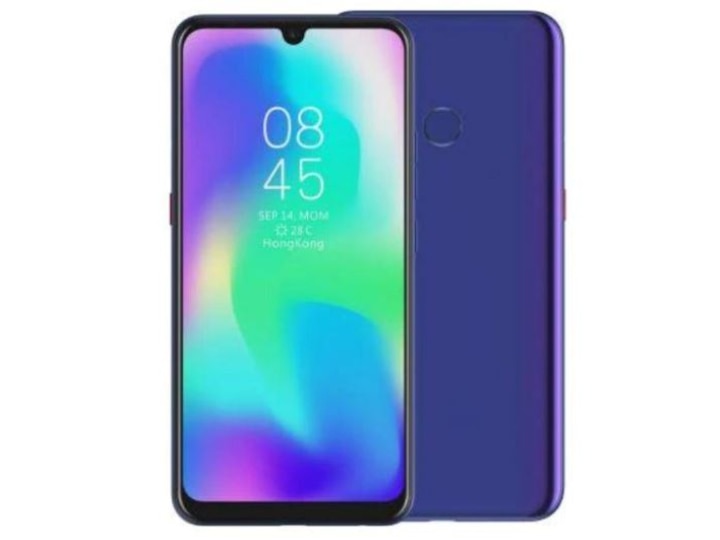
Photo: (Tecno Mobile/Amazon)
The new wave technology age has mobiles, mini tabs and gadgets as mankind's permanent guide and companion. Nothing short of mini computers, smartphones are reservoirs of plethora of information which can be accessed at a click of button. Smartphones are just not about contact lists and messages as these cutting edge gadgets help cell-phone users store humongous volumes of critical data both for personal and professional use. Losing a cell phone or it being stolen can be a painful affair as it not only is a loss of a material possession but can possibly lead to infringement, leakage of sensitive data or information like bank account details, mail passwords which has been saved on them. If at all someone's mobile phone has been stolen or lost, they do not need to panic, rather they should hold their nerves and act quickly to track their device and erase any data as soon as possible. ALSO READ | Credit Card Lost: What You Need To Keep In Mind If You Lose Your Bank Card Or Suspect It To Be Stolen If the cellphone or mobile which has been lost or stolen happens to operating on an Android operating system, one needs to download Android Device Manager application from Google play store and install the same on any other Android device. Here is a detailed guideline to remotely trace your lost or stolen mobile, lock it and possibly erase data from your phone Go to android.com/find and sign in to your Google Account. If you happen to have more than one mobile phone, click the lost phone at the top of the screen. If your lost phone is registered with more than one user profile, sign in with a Google Account that's on the main profile. The lost phone gets a notification. The Android Device Manager app would come very handy and enable you to do one of the following Track your stolen android phone Remotely lock or erase all the data on your phone. On the map, one can get information about the location of the phone. The location of the phone might be not absolutely accurate but gives one a near about idea If the location of the phone cannot be tracked down, you could possibly get to know about its last known location, if available. Once the location is tracked, you will get multiple options and one can pick what they seek to do. Depending on the option, one can choose or select what what you want to do. It is recommended to enable lock and erase the data first. Play Sound: Activates the ring tone and rings your phone at full volume for 5 minutes, even if the sound setting at the time of being stolen is on silent or vibrate. Secure device: Locks your phone with your PIN, pattern, or password. If you don't have a lock, you can set one. To help someone return your phone to you, you can add a message or phone number to the lock screen. Secure device: Enables you to lock your phone with your PIN, pattern, or password. If you don't have an existing locking pattern, you can set one. To facilitate the possibility of someone returning back your phone, you can add a message or phone number to the lock screen. Erase device: The option permanently deletes all the data on your mobile phone (but may not delete SD cards). If you find your phone after erasing all the data, you'll likely need your Google Account password to use it again.
Before You Go
EXPRESSWAY CONTROVERSY: Workers Use ‘Jugaad’ to Clear Waterlogging, Congress Takes Dig
Top Headlines
Gadgets

11.1% Drop In Smartphone Shipments, Record Prices: Why Waiting For Diwali Could Backfire
Gadgets

Asus Zenbook S14 Review: Thin Enough To Disappear, Powerful Enough To Be Noticed
Gadgets

Redmi Note 17 Review: This Phone Really Doesn't Want To Die
Gadgets

Samsung Galaxy Watch Ultra 2 First Impressions: Built For Marathons, Mountains, & Marine Adventures







See Today's Weather 
powered by