Explorer
Now Download Battlegrounds Mobile India On PC And Mac Along With Smartphones
Battlegrounds Mobile India has broken all the records of downloading. Within 24 hours of its launch, BGMI has overtaken Free Fire to become the highest-grossing game on the Google Play Store.
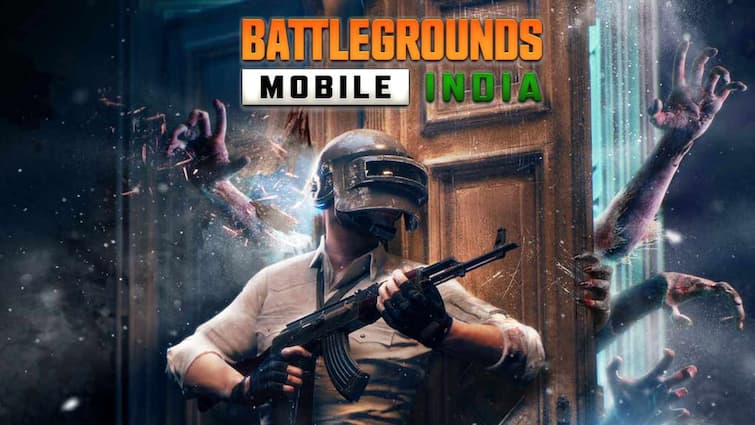
Representative Image
The craze for the Battlegrounds Mobile India game was evident amongst the fans from the moment it was launched. It has been downloaded millions of times within three days of launch. Although users mostly play the game on their smartphones, they can enjoy this game on the big screen by downloading it on Mac or PC and Laptop. Now the question is, how to install it on the computer. Here is the method. Let us know its complete process.
1) How to Download Battlegrounds Mobile India on PC or Mac?
- To download BGMI to your PC or Mac, install an Android emulator on your PC or Laptop.
- After the emulator is installed, log in to your Google account and go to the Play Store.
- Then download Battlegrounds Mobile India from Google Play Store.
- You will be able to enjoy the game only by installing the game in the Android emulator.
- To play this game, you have to log in through Facebook or Twitter account.
- Crafton, the company that makes Battlegrounds Mobile India, has enabled its users to transfer their PUBG mobile data to Battlegrounds Mobile India. .
- The company has fixed the deadline as July 6. The data can be transferred in data two days. 2) Let's tell you how to transfer PUBG data to Battleground Mobile India.
How to transfer old PUBG data in Battlegrounds Mobile India
- Open Battlegrounds Mobile India game on your Android Smartphone.
- Log in with your Facebook or Twitter account by accepting the Privacy Policy.
- You have to log in with the same social media account that is used for PUBG Mobile.
- Accept the Terms of Service.
- After creating a new character on Battleground Mobile India, you will see a pop-up. . The pop up will ask you about account data transfer. Here click on Agree.
- Then you will see another window where you have to select SNS (Social Networking Service) account from which you want to transfer data to Battleground Mobile India.
- You will be asked one more time whether you want to transfer data from the old app. If you wish to transfer the data, click on Agree.
- If you have selected the wrong social media account, you will get the option to link another account later by going to the game settings.
- Battlegrounds Mobile India gives you the option to link two social media accounts at once.
- After clicking on Agree, a message will be displayed confirming the transfer of the data from the old account to the new account.
Top Headlines
Sports

Mirabai Chanu Defends Crown With Gold Medal Hat-Trick At CWG 2026
India

PM Modi Announces High-Powered Exam Reforms Task Force Led By Nandan Nilekani
India

'Give Us Little Time': CJP To Unveil Next Strategy Soon, Says Abhijeet Dipke
World

Trump Halts Iran Strikes After 13 Days Amid Missile Stockpile Concerns: Report






See Today's Weather 
powered by