Guide To Operating Pool Cleaning Robots With Infrared Sensors
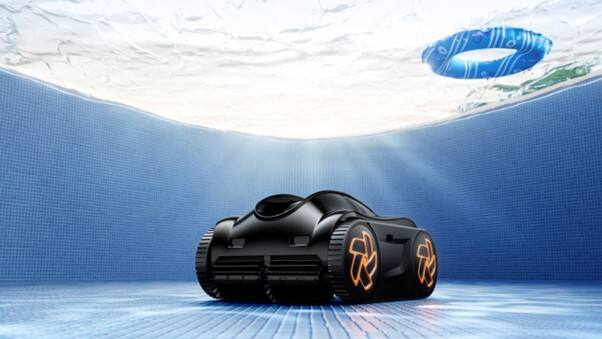
This guide teaches you how to operate infrared sensor-equipped pool cleaning robots, like the iGarden K Series, for effortless and efficient pool maintenance.


Tired of spending countless hours manually cleaning your pool? You're not alone. The tedious task of pool maintenance has long been a source of frustration for homeowners, but modern technology has finally provided a breakthrough solution. Robotic pool cleaners equipped with infrared sensors have revolutionised the way we maintain our pools, offering unprecedented automation and efficiency. These smart devices navigate your pool with precision, ensuring thorough cleaning while eliminating the physical labor traditionally required. The iGarden K Series cleaner represents the pinnacle of this innovation, combining advanced sensor technology with intuitive operation to deliver a truly hands-free pool maintenance experience. By understanding how to properly operate these sophisticated machines, you can transform your pool maintenance routine from a time-consuming chore into an effortless task that runs seamlessly in the background of your busy life.
Understanding Infrared Sensor Technology in Pool Robots
Infrared sensor technology represents a quantum leap in robotic pool cleaning capability. These sophisticated sensors emit invisible beams of light that bounce off surfaces, creating detailed three-dimensional maps of your pool's interior. Unlike basic bump-and-turn cleaners, infrared-equipped robots anticipate obstacles before physical contact, preserving both the device and pool surfaces. The system continuously processes spatial data, allowing the robot to adjust its cleaning path in milliseconds - a vast improvement over traditional ultrasonic or mechanical sensors. When approaching walls, steps, or drains, the robot smoothly redirects its course, maintaining optimal cleaning efficiency. This advanced navigation also translates to significant energy savings, as the robot takes the most efficient cleaning path rather than random movements. The infrared sensors work in concert with onboard processors to learn your pool's specific layout over time, becoming increasingly efficient with each cleaning cycle. This intelligent mapping ensures complete coverage while minimizing redundant passes, ultimately reducing power consumption by up to 40% compared to conventional robotic cleaners.
Step-by-Step Setup for Your K Series Cleaner
Initial Configuration Process
Begin your K Series setup by carefully unpacking the unit and verifying all components are present: the main cleaner body, charging dock, infrared sensor arrays, filter cartridge, and brush attachments. Connect the charging dock to a GFCI-protected outlet near your pool, ensuring it's positioned on level ground at least 10 feet from the pool edge. Before the first use, fully charge the unit for 6 hours to optimise battery performance. Download the companion mobile app and create your account while waiting. Once charged, place the robot in shallow water and hold it underwater for 30 seconds to release trapped air. Access the app's setup wizard and follow the guided calibration process. The robot will perform an initial scan of your pool, using its infrared sensors to map the dimensions and identify permanent fixtures. During this process, walk around the pool's perimeter with your phone to establish wireless boundaries - these virtual markers help the robot recognize cleaning zones and avoid restricted areas. Fine-tune the sensor sensitivity through the app settings if needed, adjusting for different lighting conditions or water clarity. The final step involves testing the robot's obstacle detection by placing a temporary barrier in its path, ensuring the sensors respond appropriately before beginning regular cleaning cycles.
Daily Operation and Scheduling
Advanced Scheduling Features
Operating your K Series pool cleaner becomes effortless through its intuitive mobile app interface. Start by accessing the control dashboard, where you can instantly activate cleaning cycles or schedule future sessions. The app allows you to create personalized cleaning routines based on your pool's specific needs and usage patterns. Set multiple daily schedules, choosing from quick spot cleaning to comprehensive deep-clean cycles. The smart scheduling system automatically considers peak energy rates, operating during off-peak hours to maximize cost savings. You can designate specific zones for focused attention, perfect for areas that accumulate more debris or require extra maintenance. The app's intelligent dashboard provides real-time monitoring of cleaning progress, battery status, and sensor functionality. Track cleaning coverage through detailed heat maps, showing exactly where your robot has cleaned and areas requiring attention. The system also learns from your pool's usage patterns, automatically adjusting cleaning intensity before and after heavy swim periods or outdoor events. Enable push notifications to stay informed about cleaning completion, maintenance needs, and potential issues. For maximum convenience, integrate your pool cleaner with popular smart home platforms, allowing voice-activated commands and automated scheduling based on weather conditions or pool sensor readings.
Advanced Pool Solutions for Optimal Performance
Modern pool robots excel at handling diverse pool surfaces through intelligent surface detection and adjustment. When encountering different materials like concrete, tile, or fiberglass, the infrared sensors automatically modify brush pressure and cleaning patterns for optimal results. The advanced debris management system employs dual-layer filtration, capturing everything from microscopic algae to larger leaves while preventing filter clogs that could impair performance. For stubborn waterline buildup, the robot uses specialized oscillating brushes combined with precise infrared positioning to maintain consistent contact with the waterline, ensuring thorough cleaning without damaging pool surfaces. Smart home integration takes convenience further, allowing seamless coordination with pool chemistry monitors, pump schedules, and heating systems. Voice commands through popular platforms like Alexa or Google Home enable instant control over cleaning cycles, while automated routines can trigger the robot based on weather conditions or pool usage patterns. The system also learns from cleaning history, automatically increasing frequency during high-debris seasons or after storms to maintain pristine pool conditions.
Maintenance Protocols for Longevity
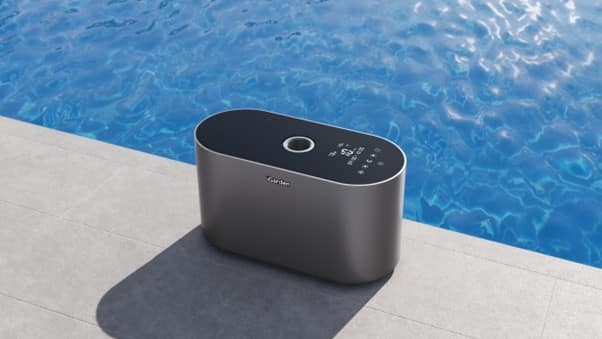
Regular maintenance of your robotic pool cleaner ensures optimal performance and extended lifespan. Clean the infrared sensor lenses weekly using a microfiber cloth dampened with lens cleaning solution, being careful to remove any mineral deposits or film that could interfere with sensor accuracy. For brush maintenance, inspect the rollers monthly and rotate them quarterly to ensure even wear. Replace brushes when bristles show significant wear or deformation, typically every 12-18 months depending on usage. Store your robot in a cool, dry place away from direct sunlight when not in use, and always drain water completely before storage to prevent internal corrosion. The smart filter monitoring system alerts you when cartridges need cleaning, typically indicated by reduced suction power or slower movement. Replace filter cartridges every 4-6 months for optimal filtration, though heavy debris loads may require more frequent changes. The app provides detailed maintenance tracking, sending reminders for scheduled upkeep and documenting service history. Keep the charging contacts clean and dry, using electronic contact cleaner monthly to prevent oxidation. During off-season storage, remove the battery and store it separately at room temperature to maximise its lifespan.
Troubleshooting Common Sensor Issues
When your pool robot encounters sensor-related challenges, systematic troubleshooting ensures quick resolution. If experiencing false obstacle detection, first clean the infrared sensor lenses thoroughly and check for calcium buildup that may interfere with readings. Should issues persist, perform a sensor calibration reset by holding the power button for 10 seconds while the unit is out of water, then re-run the initial pool mapping sequence. Common error codes like E01 (sensor obstruction) or E03 (navigation fault) typically resolve through a simple restart, but persistent errors may require sensor realignment. The manufacturer's support portal provides detailed diagnostic tools, including video tutorials and interactive troubleshooting guides. For professional assistance, certified technicians can remotely diagnose sensor issues through the app's diagnostic mode, often resolving problems without an on-site visit. Remember to document any error patterns in the app's maintenance log to help identify recurring issues and prevent future problems.
The Future of Smart Pool Maintenance
The evolution of pool maintenance technology through infrared-equipped robotic cleaners has transformed what was once a demanding chore into an automated, efficient process. These intelligent devices not only save countless hours of manual labor but also deliver superior cleaning results through their advanced sensing capabilities. The iGarden K Series cleaner exemplifies how modern technology can simplify home maintenance while providing unprecedented control and customisation through smart features. By embracing these automated solutions, homeowners can enjoy pristine pools without the traditional burden of constant maintenance. The combination of precise infrared navigation, intelligent scheduling, and robust cleaning capabilities ensures that your pool remains consistently clean with minimal intervention. As pool maintenance technology continues to advance, these smart robots represent not just a convenience, but a fundamental shift in how we approach pool care, proving that efficient, hands-free pool maintenance is no longer a luxury but an achievable reality for every pool owner.
Disclaimer: This is a featured article. ABP Network Pvt. Ltd. and/or ABP Live does not in any manner whatsoever endorse/subscribe to the contents of this article and/or views expressed herein. Reader discretion is advised.