New WhatsApp Update: Chat Backups Are Now End-To-End Encrypted. How To Enable On iPhone, Android
With this, Facebook-owned WhatsApp completes the final step towards providing a full end-to-end encrypted messaging experience, the company said in a statement.
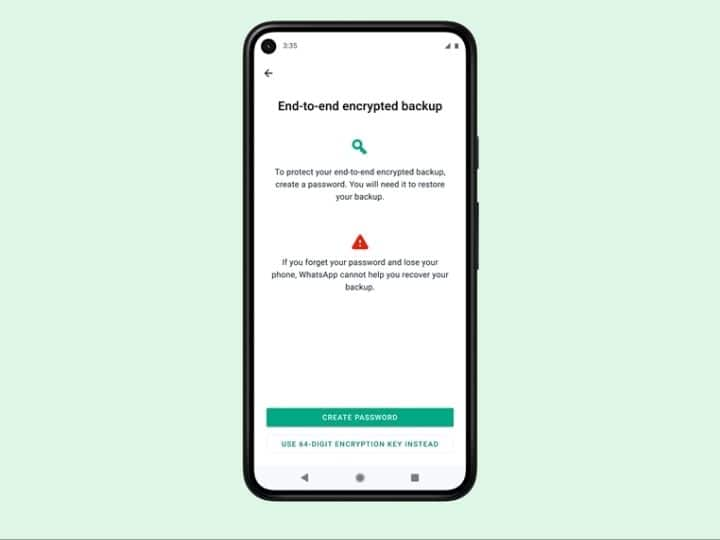
New Delhi: WhatsApp has started to roll out the much awaited end-to-end encrypted chat backups to secure private conversations taking place on the platform.
The new feature is for WhatsApp users both on Android and iOS platforms around the world, who can add this optional extra layer of protection to their iCloud and Google Drive accounts.
With this, Facebook-owned WhatsApp completes the final step towards providing a full end-to-end encrypted messaging experience, the company said in a statement.
Taking to Facebook, Mark Zuckerberg posted: “End-to-end encrypted backups for WhatsApp starting to roll out today. Proud of the team for continuing to lead on security for your private conversations.”
To create an end-to-end encrypted backup, one needs to be on the latest version of WhatsApp.
How to enable end-to-end encrypted backup
- Open Settings
- Go to Chats
- Click on Chat Backups
- Tap End-to-End Encrypted Backup
- Follow the prompts to create a password or encryption key
- Tap Done
- Wait for WhatsApp to prepare end-to-end encrypted backup. Ensure you are connected to a power source
WhatsApp says backups can’t be restored if you lose your chats and forget your password or key. WhatsApp can’t reset the password or restore the backup. You can change the password at any time if you have access to your previous password or key.
What This New WhatsApp Update Means
WhatsApp claims end-to-end encrypted backups will provide people with more privacy and security for their digital conversations.
Users can secure their end-to-end encrypted backup with either a self-fed password or a 64-digit encryption key. The company claims neither WhatsApp nor the backup service provider will be able to read the backups or access this key.
Users can also choose to turn off end-to-end encrypted backup.
For that, they will need to use the password or key, or authenticate with biometrics or device PIN.
Top Headlines