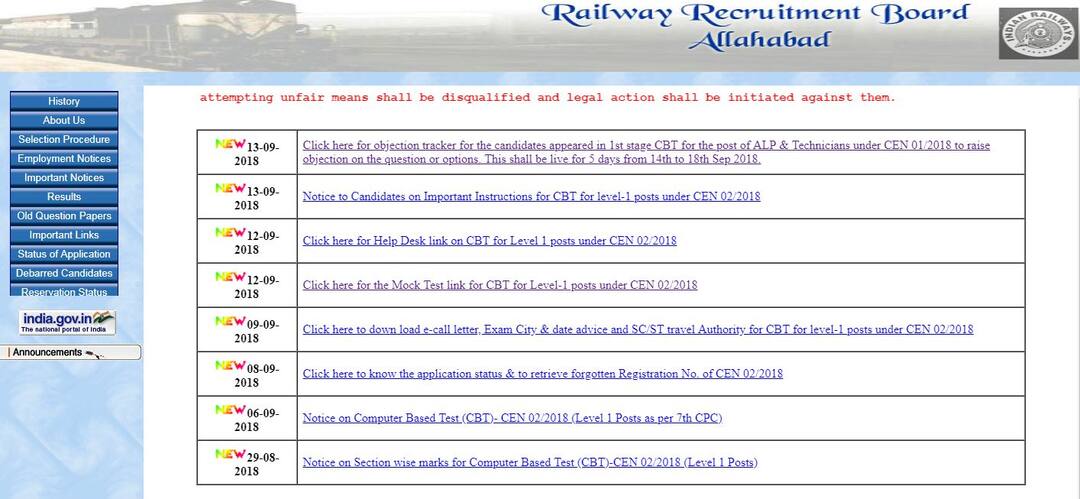
RRB ALP, technician answer key: How to raise objections
Step 1) Log on to the official website - rrbald.gov.in, indianrail.gov.in Step 2) Go to the regional RRB website and navigate to the Objection tracker window Step 3) Click on the link that says, 'Click here for objection tracker for the candidates appeared in 1st stage CBT' Step 4) Read the instructions carefully on how to raise objections on the page Step 5) Click on the blue button for ‘Login to Raise Objections’ Step 6) Fill in the log-in credentials with required details Step 7) The answer keys will be displayed and objections can be raised against any answers Direct link - Raise Objection Note - • All the objections must be raised in the English language • All the objections must clearly state the reason and provide reference material if needed • Any objections without any clear reasons will not be valid • RRB will release the final answer keys after taking into account all the objections raised All the best!Education Loan Information:
Calculate Education Loan EMI